How to Prevent Merge Conflicts
(or at least have less of them)

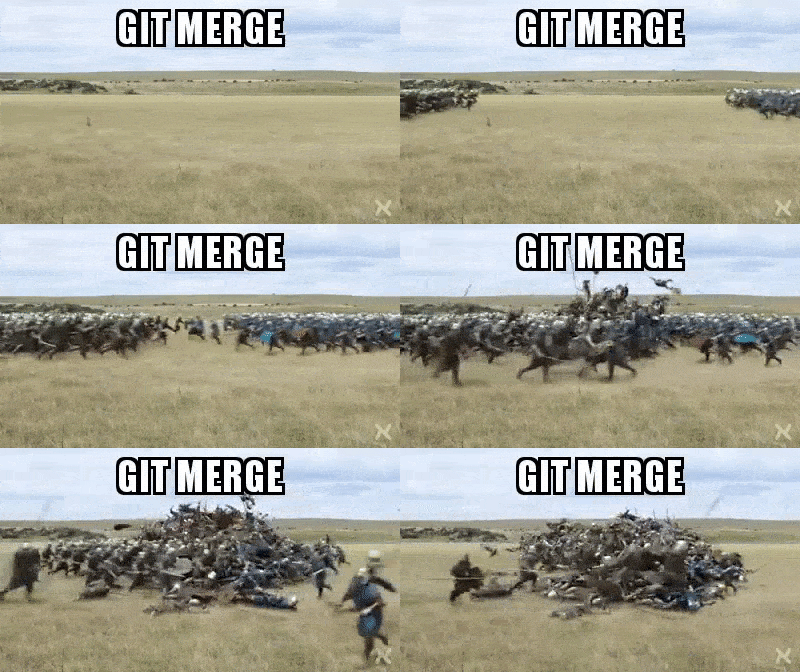
A few months ago, I wrote a DEV post about resolving merge commits. The resounding feedback I received from readers was: "JUST AVOID THEM." While I agree, I wrote the post for technologists who were past the point of prevention.
Merge conflicts are mostly inevitable. You will experience more than one merge conflict in your career, but with good communication and planning, you can reduce the number of merge conflicts you encounter. Let's discuss how we can do that!
Understand why merge conflicts happen
I mentioned this in an earlier DEV post, but I think it's worth repeating.
Version control systems, like git, auto-magically manage code contributions. It identifies the change, when it occurred, who made it, and on what line so that developers can easily track the history of their codebase. However, git sometimes gets confused in the following situations:
- When more than one person changes the same line in a file and tries to merge the change to the same branch
- When a developer deletes a file, but another developer edits it, and they both try to merge their changes to the same branch.
- When a developer deletes a line, but another developer edits it, and they both try to merge their changes to the same branch
- When a developer is cherry-picking a commit, which is the act of picking a commit from a branch and applying it to another
- When a developer is rebasing a branch, which is the process of moving a sequence of commits to a base commit
Git is unsure which change to apply, so it leans on the developer for help and notifies them of a merge conflict. Your job is to help git determine which proposed change is most accurate and up to date.
The benefits of preventing merge conflicts
Sometimes, doing that upfront work for your team or yourself to avoid merge conflicts may seem tedious, but it's worthwhile. Using guard rails to prevent merge conflicts will save time and increase developer happiness. Solving a bug, writing a new feature, or scripting automation is time-consuming. Adding the barrier of debugging and resolving a merge conflict means it takes longer to merge to 'main' and longer to deploy to production. Also, if your team is constantly experiencing conflicts, they'll eventually feel disenchanted with their work.
Four ways to prevent merge conflicts
Standardize formatting rules
Many times conflicts occur because of formatting discrepancies. For example, a technologist inadvertently added extra white space on the same line where another developer added new code. Also, people have different coding styles. For instance, some JavaScript developers use semicolons, but some don't. If you're working on a team, enforce code formatters and linting rules. Make sure everyone on the team is aware of these rules and tools to reduce the number of merge conflicts you experience due to formatting.
Make small commits and frequently review pull requests
I'm going to admit something super embarrassing. Back in the day (~3 years ago), I would make pull requests changing over 50 files, and then I would get annoyed that I had so many merge conflicts. In hindsight, I was wrong. Changing over 50 files in less than two weeks increased the chances that other developers also made updates to those files.
Also, creating large pull requests discouraged my teammates from thoroughly and quickly reviewing my code. My pull request would sit longer than necessary because it was a behemoth my teammates preferred to avoid.
Take my mistakes as a lesson to make small changes, commit them, and have folks review the pull request as soon as they are available. This way, you'll have fewer chances to change files that other teammates are simultaneously working on.
Rebase, rebase, rebase (early and often)
(I write this hesitantly, and I'm preparing for the comments section to disapprove. Clearly, I don't want peace; I want problems always. I'm being dramatic and referencing a meme. See below:)

I learned about rebasing in 2019 from a coworker that my team dubbed the "Git-tator" (Git and dictator combined). He was earnest about improving our startup's git history and reducing the number of blockers we experienced due to merge conflicts. Arguments ensued because many developers were often working on extensive features simultaneously. We even argued over simple conflicts when people imported new dependencies for different features in the same file on the same line. Thus, he introduced us to rebasing, which significantly improved our software development workflow.
What is rebasing?
The git rebase command reapplies changes from one branch into another, which is very similar to the git merge command. However, in this case, git rebase rewrites the commit history to produce a straight, linear succession of commits.
How rebasing helps prevent merge conflicts
Rebasing is not going to magically remove all merge conflicts. In fact, you may encounter conflicts while rebasing. Sometimes, you will have to repeatedly resolve the same conflict while rebasing. However, merge conflicts happen because multiple changes happen to the same chunk of code simultaneously. If you rebase your local working branch with the default branch (main or master), you're rewriting your local commit history with the default branch's history and then reapplying your changes. In many situations, rebasing first and then merging can make teamwork easier. Rebasing is an option, but not the only solution.
Be careful with rebasing
Be warned – there are moments when rebasing is not recommended. Rebasing is dangerous because you're rewriting history. When rebasing, pay attention to the changes you're accepting because you risk overwriting teammates' changes or including files your teammates intended to delete. You also probably wouldn't want to rebase a public repository on the main branch because that would inaccurately rewrite the history.
If you're new to rebasing or nervous about rebasing, pair with a teammate to sanity check.
How I rebase to avoid merge conflicts
There's no correct workflow – just preferred ones. Here's the workflow I follow as determined by teams and codebases I’ve worked in:
- If I'm working with more than one person, I'll create a feature branch from the default branch. This way, we can contribute to the feature branch in tandem.
- I'll make a new local branch from the default or feature branch
- I'll add and commit new changes to my local branch
- I'll rebase updates from the default or feature branch
- I'll merge changes from my local branch to the default or feature branch
Pay attention and communicate
No git command or software tool can replace the need for communication in engineering teams. Being a good software developer and collaborator goes beyond writing code. Good software developers communicate with teammates. Keep your team aware of what files you will be touching and coordinate with your Product Manager and SCRUM Master to avoid working on features that conflict with other features.
If you're working alone, pretend you're working on a team by:
- creating branches
- creating pull requests
- Avoid allowing pull requests to become stale
- Make sure you're not changing the same lines of code before merging a prior change
- Establish and follow formatting rules
Working alone shouldn't stop you from practicing healthy coding habits, so try to keep your codebase clean! Your codebase may turn into an open source project or a project that you show off in interviews.
If you're reading this and you're thinking, "I just need help resolving a conflict," head over to this post.
Please note: I didn't exhaust all the options for preventing merge conflicts, so comment below with methods you use to avoid merge conflicts.
Also, follow GitHub and me on DEV for more awesome content.
Stay tuned for a post I'm working on that identifies the differences between a merge commit, squash, and rebase.

About the author
Developer Advocate @ GitHub
Comments
Join the discussionLove it! Thank you!
Thank you Rizel Scarlett
Thanks 🙏🏻 appreciate it Rizel Scarlett
Thanks for reading!
Nice write-up, Rizel Scarlett.
Thank you!
GitHub Tutorials
In this series, I will document technical tutorials for navigating GitHub's awesome features!